

A useful agent should learn the work you keep giving it.
If you teach an agent how you do something, you should not have to paste the same explanation forever.
When that lesson becomes reusable, OpenClaw should show you the draft before it changes future runs.
That is Skill Workshop.
Skills are how OpenClaw teaches an agent reusable procedures. A skill might be a short checklist for invoice follow-up, a release routine with validation steps, or a repo health workflow with scripts, templates, and examples beside the main instruction file.
A skill is not just Markdown. It changes future behavior.
That makes skill creation different from normal file editing. If the agent writes a bad answer, you can ignore one answer. If the agent writes a bad skill, that mistake can become part of how future work is done.
Skill Workshop puts a review step in front of that change.
Proposal First
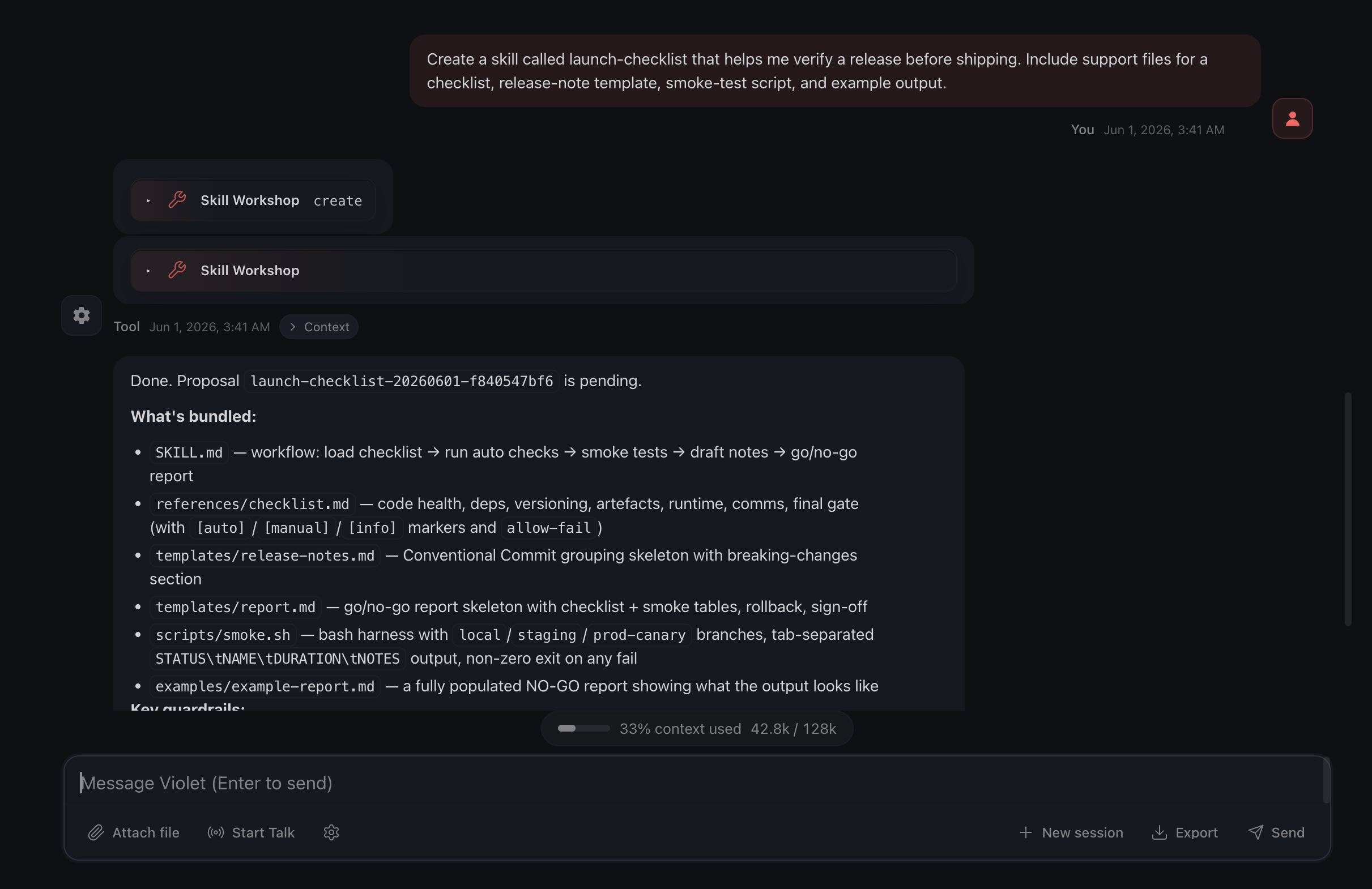
When an agent creates or revises a skill through Skill Workshop, it starts as a proposal.
The proposal is not active. It carries the draft instruction, any support files, its review state, and the information OpenClaw needs to apply or reject it cleanly.
While it is pending, the file is PROPOSAL.md, not SKILL.md. The agent does not run it yet.
So the loop feels like normal collaboration:
You:   Make this weekly inbox routine reusable.
Agent: Drafted a proposed skill.
You:   Add the VIP sender rule and make the dry-run step clearer.
Agent: Revised the proposal.
You:   Use it.
The agent does not need to create skill files by hand or guess where they belong. It does not need one path for chat, another for the UI, and another for the CLI.
It uses Skill Workshop.
Shape It Before You Keep It
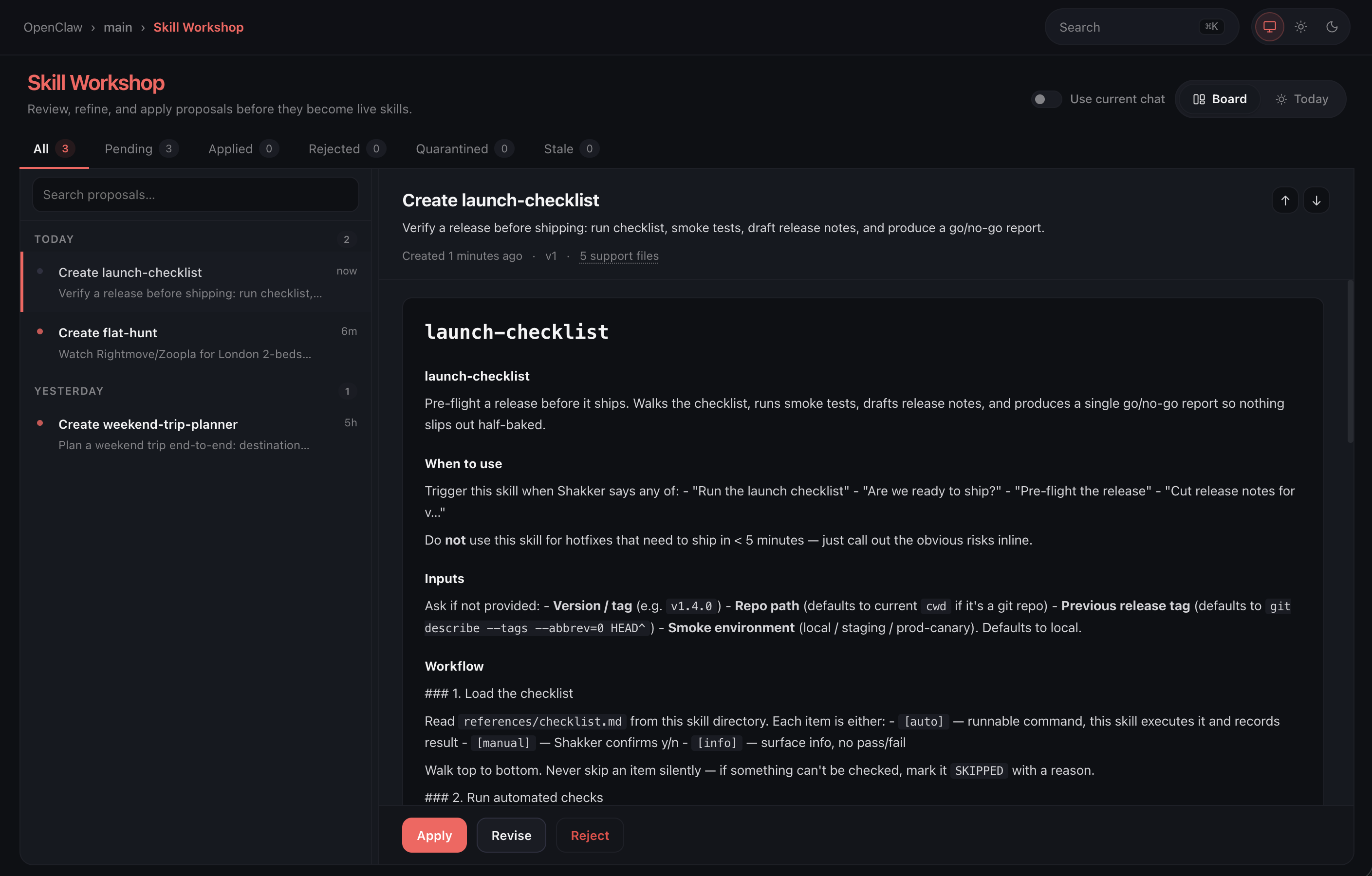
The Control UI treats proposed skills as reviewable work, not hidden files you have to hunt down.
Board view is the full workshop. You can move through pending, applied, rejected, and stale proposals. You can search, inspect, preview support files, and see what changed.
Today view is the faster pass.
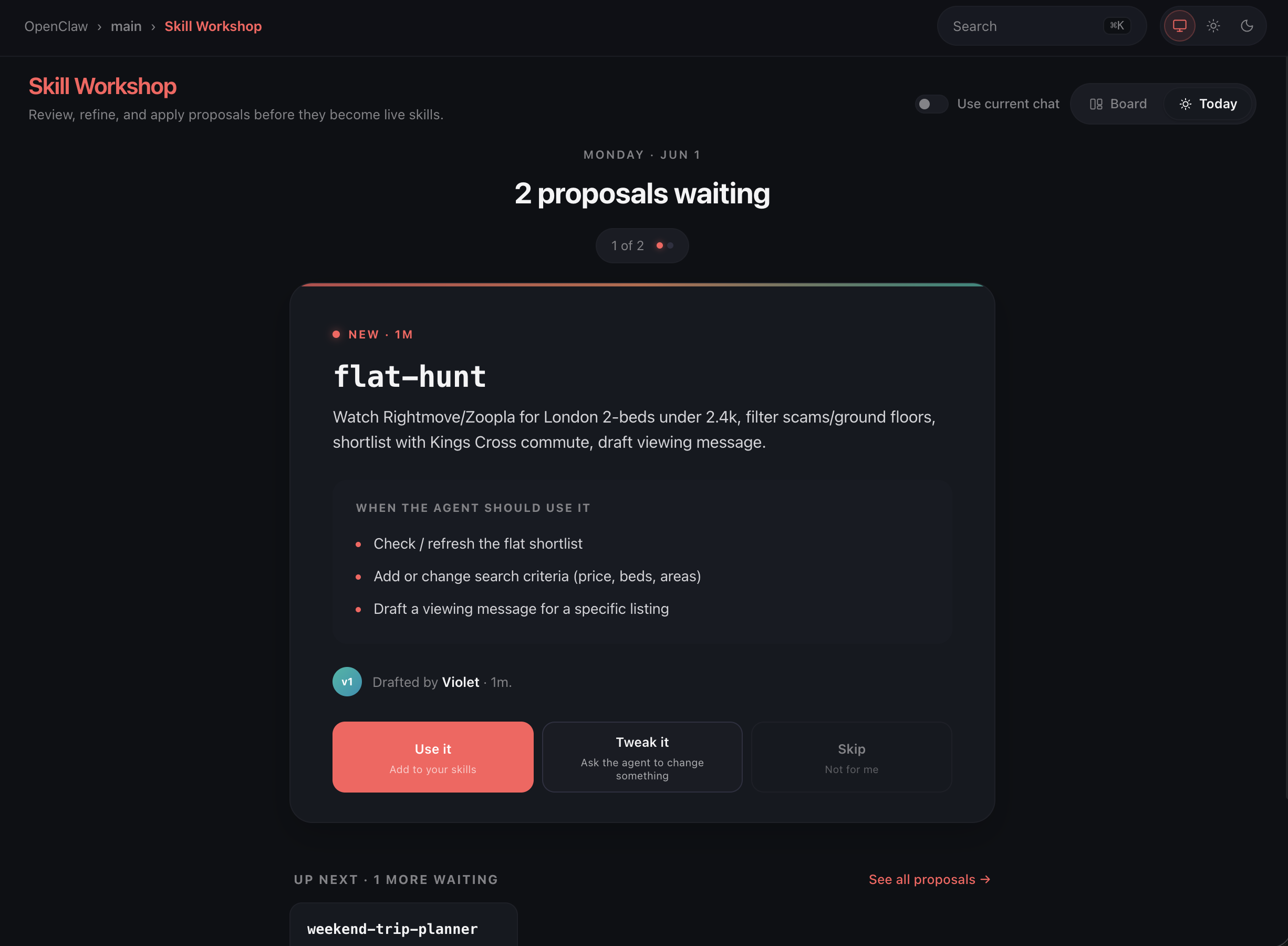
It gives you the next proposal and asks a concrete question: should this become part of your skill set?
Use it when it is ready. Tweak it when it is close. Skip it when it should not become part of your skill set.
Tweak is where the workshop matters most.
Generated work is often almost right. The wording is off. A step is missing. The skill needs a safer fallback. The support file should be a template instead of a script. Skill Workshop turns those fixes into a revision conversation instead of a dead end.
The proposal remains the object being edited. The agent can revise it, and you can come back to the same proposal with its history intact.
Skills Can Bring Files
Useful skills often carry supporting material.
A digest skill may need a response template. A debugging skill may need example logs. A deployment skill may need a smoke-test script. A writing skill may need reference snippets.
Skill Workshop keeps those files with the proposal.
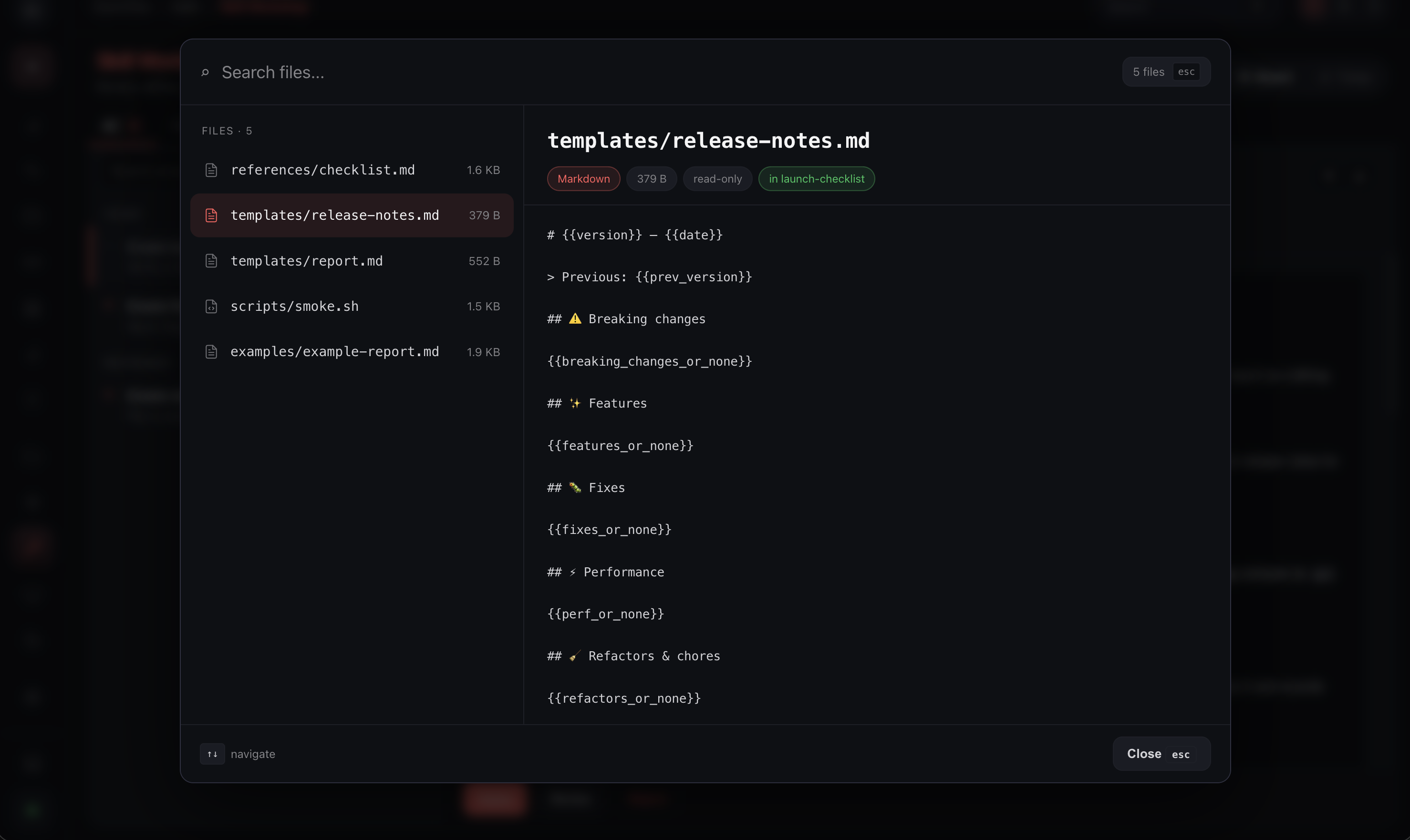
Support files are allowed under the standard skill folders: assets, examples, references, scripts, and templates.
They are shown in the UI before you apply them. They are scanned with the proposal. They are written with the skill when you apply it.
The path rules are deliberately narrow. No absolute paths. No traversal. No hidden path segments. No writing outside the skill. A skill can be useful without making the write path loose.
The same proposal flow works from chat, the Control UI, channels, the CLI, and Gateway.
When granted access, agents can create, inspect, revise, apply, or reject proposals through the workshop path. You can review the same proposals from the UI, CLI, chat, channels, or Gateway.
Skill Workshop is the checkpoint before agent work becomes reusable behavior.
The agent brings back the pattern.
You shape what stays.